

Introducing eSign: Digital Signatures Built Into exacare ai


From referral to signed document, without leaving exacare ai
A resident may be ready for admission, but the documents still have to catch up. For many skilled nursing facilities, that last step still means gathering the right forms, filling in resident and facility details, sending documents to the right family member or representative, tracking signatures, and making sure completed paperwork ends up in the right place.
For many teams, that process still involves printing, scanning, emailing, uploading, and switching between systems, adding delays at the exact moment admissions teams are trying to keep care moving forward.
That’s why we created eSign, a new digital signature feature built directly into exacare ai. With eSign, facilities can prepare, send, sign, track, and store admission documents in one place, helping teams reduce paperwork delays and keep the admission process moving.
TL;DR
eSign helps facilities auto-populate admission documents, collect signatures in person or by email, track every request, and upload completed paperwork to PCC or MatrixCare, so admissions teams can spend less time chasing signatures and more time moving care forward.
How it works
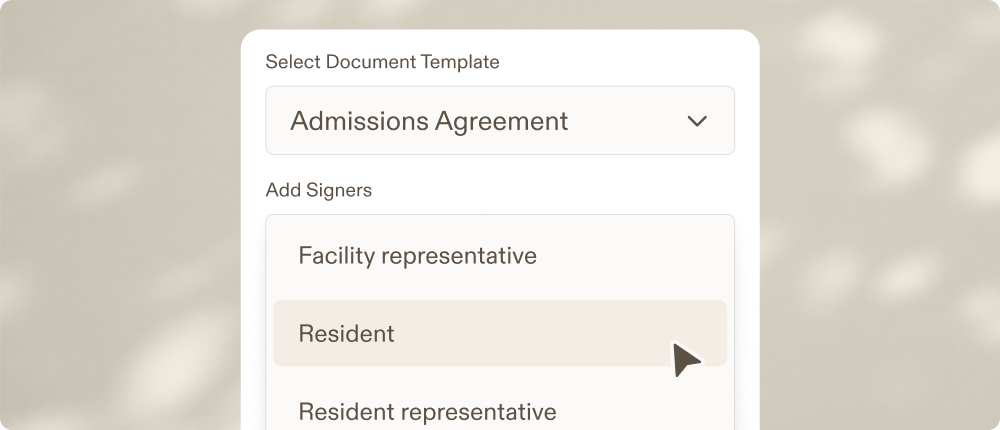
Admission packets are rarely one-size-fits-all. A single admissions agreement may need signatures from a resident, a facility representative, a responsible party, a power of attorney, or another representative. Some documents need full signatures. Others may only require initials, checkboxes, dates, or sender-completed fields.
eSign was designed around that reality, and built directly into the exacare ai workflow teams already use to manage referrals and admissions. That means facilities can add digital signatures without buying, implementing, and managing another separate tool.
Create reusable templates
Templates can support up to four signer roles per document, making it easier to manage admission packets that require multiple signers. Admins can create reusable templates for common admission agreements, intake forms, consent forms, supplemental agreements, and other documents.
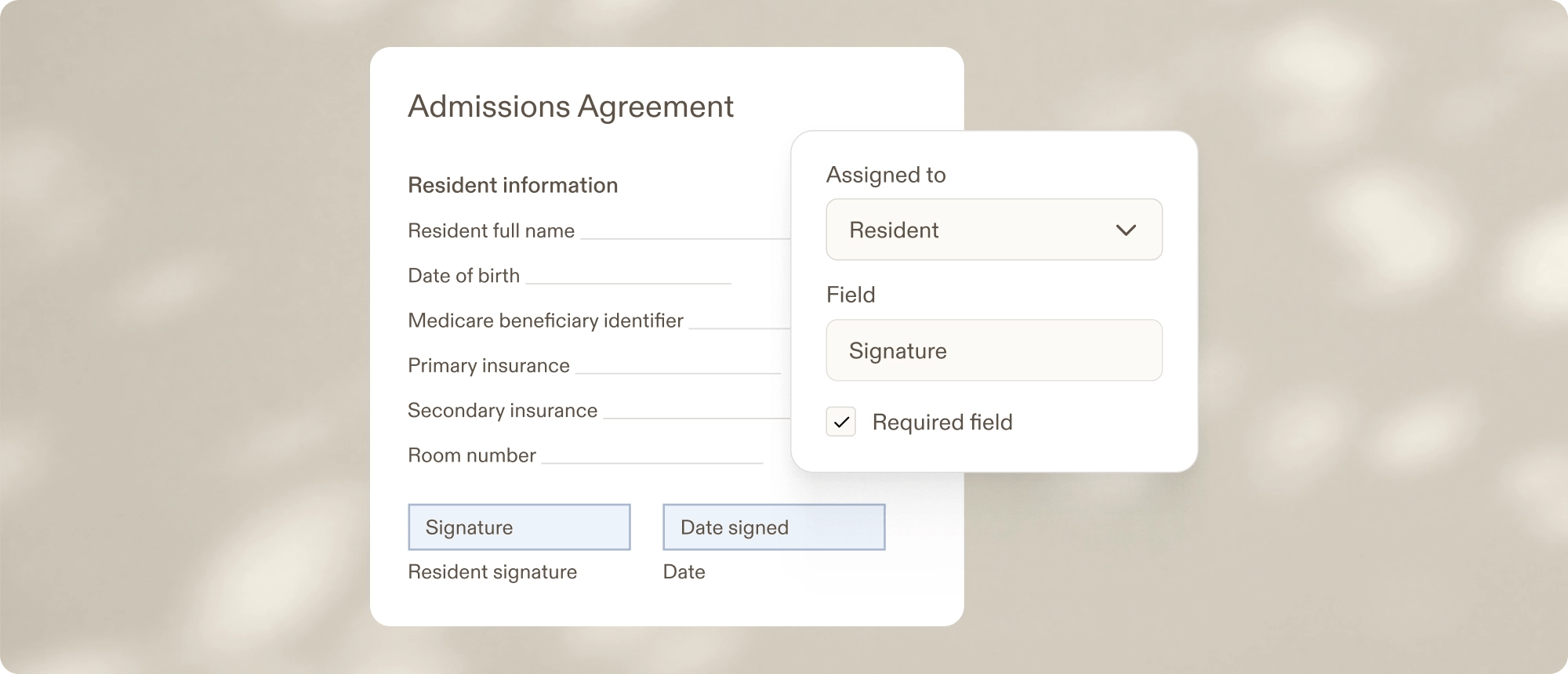
During setup, teams can define who needs to sign, place fields on the document, and choose which information should be filled automatically from exacare ai.
Templates can include several types of fields, depending on what the document requires:
- Signature and initials fields for residents, representatives, facility staff, or other signers
- Text fields, checkboxes, radio buttons and date fields for signer-completed information
- Auto-populated fields for details already available in exacare ai, such as resident, facility, insurance, or source information
- Sender fields for information the operator needs to review or complete before sending
Once a template is published, it can be used across the organization for future admissions. Teams do not have to rebuild the same agreement or consent form every time a new resident is ready to admit.
Auto-populate fields from the referral
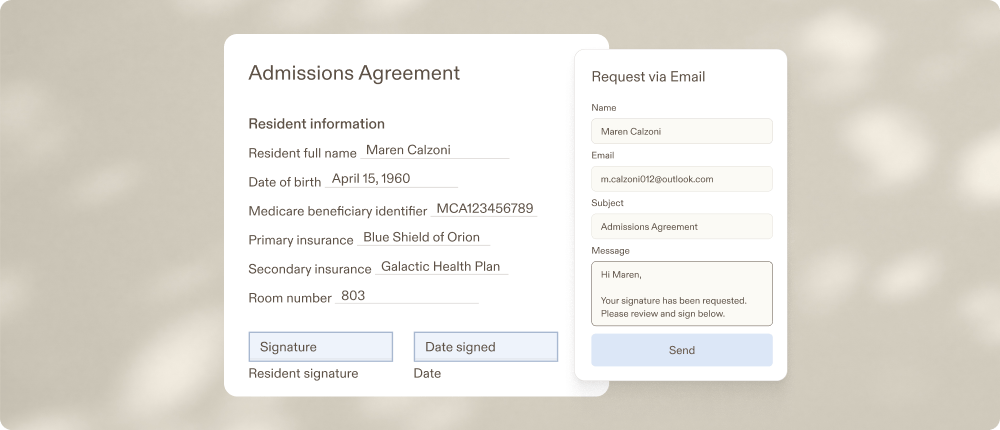
When a new signing request is created, eSign can pull in information already available from the referral, including resident details, facility information, insurance information, and other key fields. Operators can review the document, update sender fields as needed, and finalize the request before sending it out.
Because eSign uses information already in exacare ai, teams can go from referral to signature without re-entering details, jumping between systems, or tracking requests somewhere else.
Collect signatures remotely or in person
Not every signing situation looks the same. Sometimes a resident or family member is available in person during admission. Other times, a responsible party needs to review and sign remotely.
With eSign, operators can send a secure signing link by email or open the signing experience on their own device for in-person signing. Each signer completes only the fields assigned to them, whether that means adding a signature, initials, date, checkbox, or other required information.
That flexibility helps teams collect signatures in the way that fits the moment, without creating a separate process for remote and on-site signers.
Track every request in one place
Sending a request is only the first step. Admissions teams also need to know where each document stands.
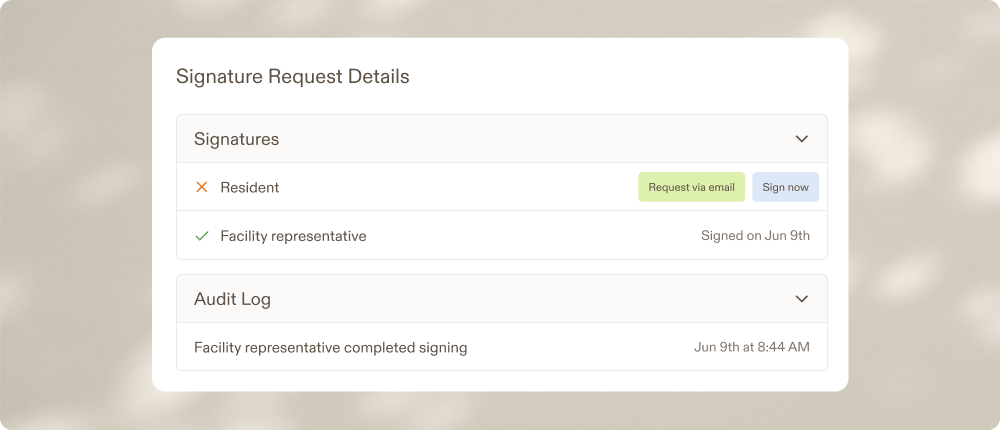
Has the resident signed? Is a representative still pending? Does the facility signature still need to be completed? Has the finished document been uploaded to the EHR?
The eSign grid gives teams a centralized view of signing activity across the organization. Teams can see request status, signer progress, document type, facility, and recent activity. They can also filter requests, expand rows to see individual signer status, send reminders, cancel requests, download completed documents, or push paperwork to the EHR.
For multi-signer documents, teams can see progress at a glance; for example, whether two out of three signers have completed their portion. That visibility helps admissions teams manage open requests without relying on spreadsheets, inbox searches, or manual follow-up notes.
Keep a complete audit trail
Once a document is signed, teams need a clear record of what happened and when.
Every completed eSign document includes a full audit trail. Actions such as creation, sending, signing, and completion are recorded with timestamps. Signature events capture signer details, email, IP address, and completion time.
That audit trail is appended to the completed PDF, giving facilities a clear record of the document’s history from request creation through final signature.
For operators, that means fewer open questions about who completed each step, and when.
Upload completed documents to PCC or MatrixCare
The process doesn’t end once a signature is complete. Signed documents still need to be stored, referenced, and uploaded to the appropriate system of record.
With eSign, completed paperwork can be uploaded to PCC or MatrixCare, helping reduce duplicate work and keeping admission documents connected to the resident record. Teams can easily push documents, and when the referral is already connected to the EHR, completed documents can be routed to the configured destination.
The result is a cleaner path from referral, to signature, to completed document in the EHR.
What customers are saying
Customer feedback has focused on exactly what eSign is meant to improve: fewer clicks, less context-switching, and a signing experience that feels easy for admissions teams to use.
As one customer shared about the eSign experience:
“The app and workflow the exacare ai team designed is incredibly streamlined and user-friendly, which is exactly what we value: fewer clicks. Exacare is truly solving all our problems, and it’s exciting to see!”
That feedback gets at the core of eSign: fewer clicks, fewer handoffs, and a clearer path from admission documents to signed paperwork in the EHR.
How to get started with eSign
If you’re an existing exacare ai customer, your Operations lead can walk you through how you can get started with eSign.
Because each organization’s admission documents are different, onboarding includes support to configure the templates and workflows your team needs.
If you’re not yet a customer and want to learn how exacare ai can help your admissions team manage more of the referral-to-admission process in one place, contact our sales team.
With eSign, digital signatures become one more part of the admissions process your team can manage directly within exacare ai, helping teams move faster, reduce manual follow-up, and keep care moving forward.
Related reading
Want to see how SNF teams are using exacare ai to reduce manual admissions work? Read how St. Croix County turned stacks of referral paperwork into a faster, AI-supported admissions workflow, and why digitizing more of the admissions process, including eSign, is a natural next step.
You can also explore how Ignite Medical Resorts centralized admissions and managed care with exacare ai, or how Pearl Healthcare improved admissions efficiency and census performance.
Share
Learn more







Move your team forward
Move your team forward